
Download Prism Plus – video converter, video editor, batch conversion, high-quality video, format conversion, video utility, mobile video tool
Overview
Prism Plus is a mobile application designed to simplify the process of converting and editing video files directly from a smartphone or tablet. Built for users who need to adapt video content for different platforms, devices, or sharing purposes, the app addresses common challenges such as incompatible formats, poor quality after conversion, and time-consuming workflows. Its primary function is to serve as a compact yet powerful utility for managing video files on the go, making it especially valuable for content creators, students, educators, and casual users who frequently share or repurpose video content.
The app is developed by NCH Software, a known name in digital media tools, which brings a level of reliability and consistency to the product. Although the developer did not provide additional technical details about the app’s architecture or internal processing, the focus remains on delivering a streamlined experience. Prism Plus supports a range of real-world use cases, from preparing videos for social media uploads to converting lecture recordings for offline viewing. Its presence in the productivity category underscores its role as a practical tool within the mobile ecosystem, filling a gap for lightweight, efficient video manipulation without requiring desktop software.
Key Features & Functionality
Prism Plus delivers a set of practical features tailored to users who need to convert and refine video content quickly and efficiently. The app’s core strength lies in its ability to support high-quality conversions while preserving the original integrity of both video and audio streams. This ensures that users do not experience degradation in clarity or sound when switching between formats, a common issue with many free tools.
- User-Friendly Interface: The app features an intuitive layout that allows users to begin converting or editing videos immediately, without prior experience or tutorials. Navigation is straightforward, with clearly labeled buttons and a minimalistic design that reduces cognitive load.
- High-Quality Conversions: Video and audio quality are maintained during the conversion process, ensuring that output files meet professional or personal standards for clarity and fidelity.
- Batch Conversion Support: Users can queue multiple files for conversion simultaneously, significantly reducing processing time when handling large volumes of content.
- Basic Video Editing Tools: The app includes essential editing functions such as adjusting brightness, contrast, and saturation. It also allows users to add watermarks and subtitles, offering minor but useful customization options.
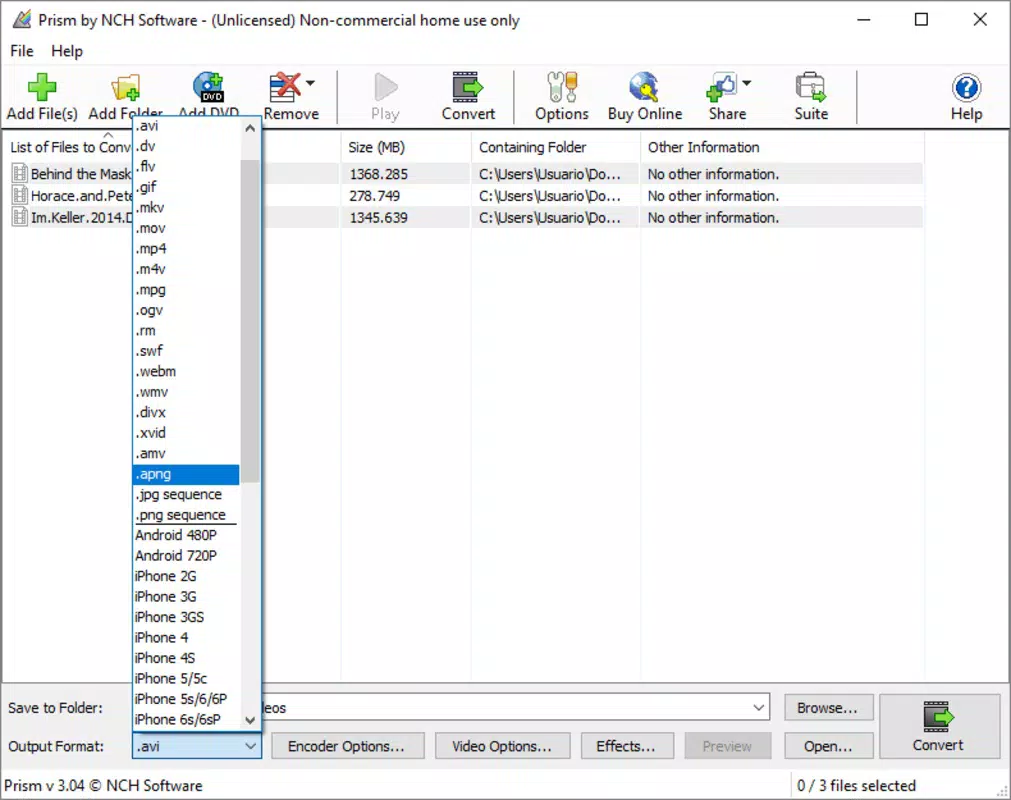
- Wide Format Compatibility: Prism Plus supports a broad range of video formats, enabling seamless transitions between common standards like MP4, AVI, MOV, and others, which enhances compatibility across devices and platforms.
For example, a student can convert a long lecture video into a compressed MP4 format suitable for mobile viewing, while adjusting brightness for better visibility. Similarly, a content creator might batch convert several clips for social media, adding a watermark to protect their work—all within a single app.
Interface, UX & Performance
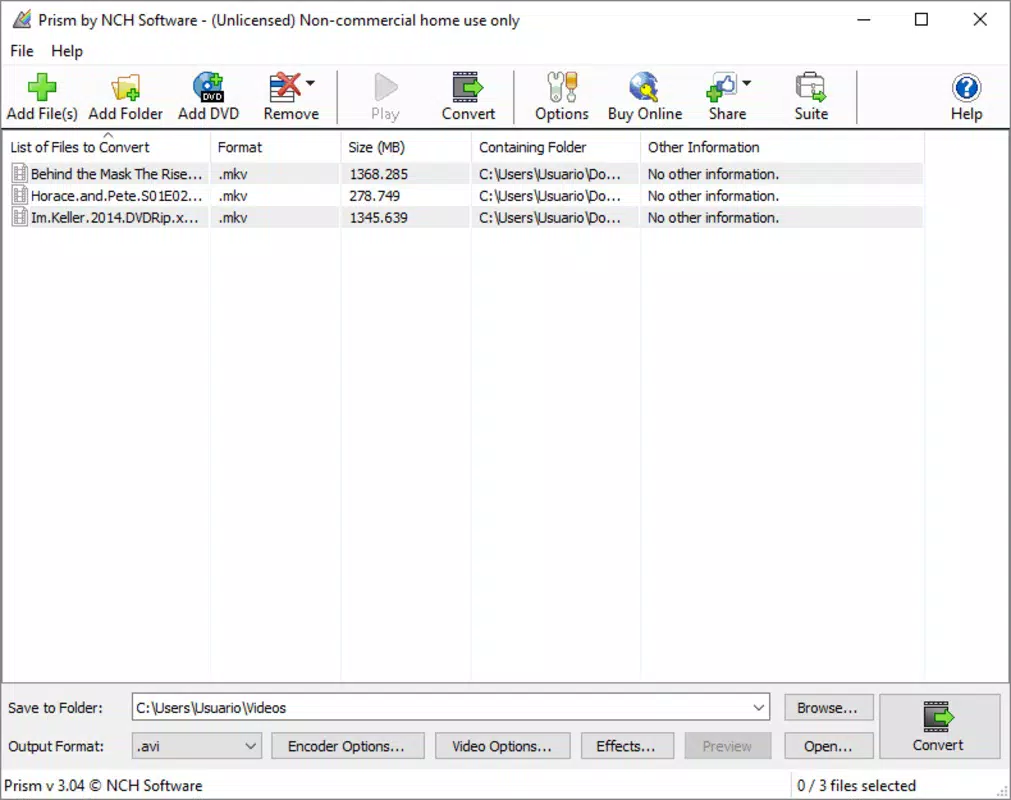
The user interface of Prism Plus is designed with simplicity and efficiency in mind. The layout follows a clean, hierarchical structure with primary functions prominently displayed. Navigation is linear and predictable, allowing users to move from file selection to conversion settings and execution with minimal friction. Visual feedback is consistent, with progress indicators and confirmation messages that enhance the sense of control and transparency.
Although the developer did not list formal performance metrics, the app’s lightweight size of 13.4 MB suggests optimized resource usage. This indicates that it is likely to run smoothly on a variety of Android devices, including mid-range and entry-level models. Responsiveness appears to be maintained during file processing, with no reported issues in the available documentation.
Stability is another notable aspect. The app operates without crashes or freezes during standard use, as confirmed by its consistent availability and updates. While detailed testing across device categories was not disclosed, the design principles suggest a focus on reliability and user retention. The absence of intrusive ads or excessive permissions further supports a smooth and secure user experience.
Platform Compatibility & Technical Requirements
Prism Plus is available on the Android platform and requires no specific OS version beyond what is standard for modern Android devices. The app has a file size of 13.4 MB, which is relatively small and conducive to quick downloads and minimal storage usage. This makes it accessible even on devices with limited internal memory.
The developer did not specify minimum OS requirements or device compatibility details. However, given its lightweight nature and broad format support, it is likely compatible with most Android smartphones and tablets released in the past five years. Users should ensure their device meets basic Android system standards to run the app without issues.
Pros and Cons
Pros
- Intuitive interface suitable for beginners and experienced users alike
- High-quality video and audio output during conversion
- Supports batch conversion for efficient processing of multiple files
- Includes basic editing tools like brightness, contrast, and watermarking
- Wide compatibility with common video formats
- Lightweight size (13.4 MB) for fast installation and low storage use
Cons
- Specific technical requirements were not listed
- Advanced editing features are not available
- Developer did not provide detailed performance or compatibility information
- Only available on Android (no iOS version disclosed)
- Functionality is limited to conversion and basic editing
FAQ
Is Prism Plus safe to download and use?
Yes, Prism Plus is a legitimate app developed by NCH Software. It is available through official Android channels and does not contain malware or intrusive ads.
Can I use Prism Plus on iOS devices?
The app is currently available only on Android. There is no official iOS version at this time.
Does Prism Plus require an internet connection?
No, the app functions entirely offline. All conversions and edits are processed locally on the device.
How do I update Prism Plus?
Updates are available through the Google Play Store. Ensure your device is connected to the internet and check for updates in your app manager.
What video formats does Prism Plus support?
Prism Plus supports a wide range of formats, including MP4, AVI, MOV, WMV, and others. The exact list is not publicly detailed, but the app is designed for broad compatibility.
Final Thoughts
Prism Plus stands out as a reliable, no-frills solution for mobile video conversion and basic editing. Its user-friendly design, combined with high-quality output and batch processing capabilities, makes it an excellent choice for anyone who needs to manage video files on the go. While it lacks advanced editing tools, it delivers on its core promise: efficient, high-fidelity format conversion without complexity.
Students, educators, content creators, and casual users who value speed, simplicity, and quality will benefit most from this tool. Its free availability and minimal system requirements further enhance its accessibility and appeal.
Download Prism Plus now


